

Editor’s Note: How to Use This Guide
Quick answer: Use this page to make a clearer decision about marketing tools and AI-assisted workflows. Start with the reader or customer problem, check whether the advice still matches current platform behavior, and only then choose tools, tactics, or budget. The safest improvements are usually better measurement, clearer page structure, stronger examples, and more useful internal links.
Practical Decision Checklist
| Question | Why it matters |
|---|---|
| What is the reader or campaign goal? | Prevents advice from becoming generic or tool-led. |
| What has changed since the article was first published? | Keeps platform, SEO, and tool recommendations realistic. |
| Can the result be measured? | Avoids decisions based only on traffic, impressions, or vanity metrics. |
| What should be avoided? | Protects budget, reader trust, and Google-policy compliance. |
| Which SEMUpdates page should readers visit next? | Improves navigation without forcing keyword-heavy anchors. |
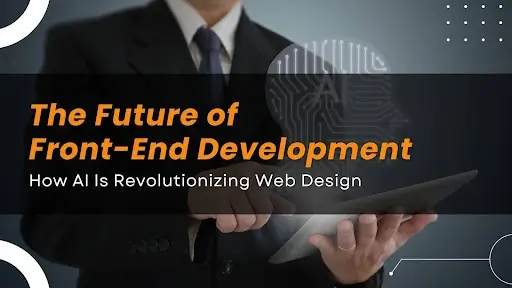 The near future of front-end designing and web development is being revolutionized by artificial intelligence technologies that are revolutionizing the way designers and developers accomplish their tasks. For those who have learned their skills in a Web Designing institute or are self-taught, it is essential to be aware of this change in order to stay competitive in an increasingly competitive market.
The Current Status of AI in Front-End Development
AI integration with front-end development has expanded at an exponential pace over the past couple of years. What began as simple automation tools has evolved into sophisticated systems that are capable of generating code, optimizing user interfaces, and even making design decisions. This is a blessing and a curse for front-end professionals.Code Support and Generation
One of the greatest achievements of AI in front-end development is the existence of code-generation tools. Platforms like GitHub Copilot, Tabnine, and Amazon CodeWhisperer can:- – Provide code completions on a context basis
- – Extract complete functions from natural language definitions
- – Discover and fix bugs in code-authored
- – Convert design mockups to functional HTML and CSS
Design Support and Automation
From a design standpoint, AI software is transforming processes in several impactful ways:Layout Generation
Tools like Adobe Sensei and Wix ADI are able to design responsive site layouts according to content requirements and design fundamentals. These systems learn from thousands of known websites and apply those to decide on best practices in design and apply them to new sites.Component Generation
AI can now take sketches or textual descriptions and render UI elements out of them. A designer would, for instance, quickly hand-draw a navigation bar outline, and AI can translate this into a cleanly coded component suitable for deployment.Design Systems Maintenance
It is difficult to maintain consistency in massive design systems. AI can now inspect interfaces, detect inconsistencies, and suggest remedies for obtaining visual consistency. A/B Tests and Optimizations Artificial Intelligence platforms can now analyze user interaction data and provide automated design enhancement to enhance conversions, engagement, or other target metrics. A seasoned UX designer said: “What would require days of A/B testing is now possible to accomplish in a matter of hours. The AI doesn’t just harvest data—it makes informed predictions about what to test next, based on what it sees occurring.How AI is Changing the Front-End Process
AI is changing front-end development, automating conventional processes, and simplifying design and development like never before. Here’s how:#1 Rapid Prototyping
AI tools have revolutionized the process of prototyping by:- Converting hand-sketched designs into interactive prototypes
- Generating a series of design iterations according to predefined parameters
- Scaling designs on their own across various screen sizes
#2 Bringing Design and Development to Everyone
AI is reducing technical hurdles to allow more individuals to design high-quality designs with minimal training. Tools such as Figma’s Auto Layout and Webflow’s AI tools allow individuals to design professional-grade websites without deep coding knowledge. The trend is compelling two significant changes:- Small businesses can now afford to pay for bespoke web designs
- Industry standards for high-quality design have risen
#3 Customized User Experiences
It is perhaps most significant in the domain of personalization. AI-front-end systems are now capable of:- – Dynamically change layouts based on user preference
- – Establish content visibility according to user action
- – Provide more than one navigation option per usage scenario
- – Make sure colors and typography comply with accessibility standards
Skills Evolution for Front-End Experts
The rise of AI as a front-end development force is compelling a transformation in the sets of skills necessary for designers and developers to remain successful. Let’s see how professional requirements are evolving:For Designers:
Knowing AI Capabilities and Restrictions
Designers need to get an intuitive grip on what can and cannot be done well with AI. This allows them to leverage AI to perform the proper tasks while ensuring human intervention wherever required.Prompt Engineering
Being able to write good prompts for AI systems is also becoming a skill. Designers who can communicate their intent clearly to AI tools will receive better results.Systems Thinking
Rather than designing individual pages, designers must design with design systems and parameters in mind. That is, knowing the relationship between pieces and how they might change based on context. With more presence of AI personalization, designers need to possess improved data analysis skills in order to know how users are interacting with their work and how AI systems are re-shaping them.For Developers:
API Integration Skills
Front-end developers are increasingly being asked to integrate AI services using APIs. Understanding how to build requests and handle responses from these services becomes relevant.Component Architecture
Building component systems that are modular and can be managed by AI requires top-notch architecture skills. Programmers need to create components that are flexible and modular.Performance Optimization
With AI bringing complexity to front-end systems, performance optimization grows more critical. Developers need to understand how AI features affect load time and runtime performance.Testing AI-Improved Interfaces
Legacy testing methodologies may not hold for AI-powered interfaces. Testing frameworks must be purchased by developers that respond in different ways to user activity or other variables.Ethical Issues and Challenges
The application of AI in front-end development brings into play some ethical considerations that expert developers must entertain:Accessibility Issues
Although AI may be used to increase accessibility to websites by streamlining some of the compliance work, excessive reliance on such tools is not a good idea. AI systems may not necessarily understand the lived experience of disabled users, and thus human intervention is necessary. A web accessibility expert I spoke with warned: “I’ve seen websites that are passing automated accessibility checks but are still completely inaccessible to people with certain disabilities. AI can help identify issues, but human testing with a range of users is still unbeatable.”Privacy Implications
Personalization through AI presumes data gathering, which is a privacy issue. Front-end professionals must:- – Be transparent in data gathering
- – Implement strong data protection policies
- – Provide effective opt-out alternatives
- – Consider the ethical implications of using persuasive design methods
Design Homogenization
With increasingly more websites using AI-created content and design, design homogenization is a possibility. Since AI is learned from current websites, they end up mimicking current design trends instead of encouraging creativity. “The challenge,” said one creative director, “is how to use AI as a beginning, not an end. The human imagination is still valid—maybe more so than ever.”Skill Devaluation Issues
Some front-end professionals are worried that AI would downgrade some skills. History, however, shows that technology does not so much displace work as alters the form of work. The most susceptible professionals are the ones who are unable to adapt to the new paradigm.Real-World Front-End Projects and Applications of AI
Let’s examine some specific methods front-end specialists are applying AI to real projects:#1 AI-powered Responsive Design
Traditional responsive design is done by setting breakpoints and changing layouts manually. AI technology can now audit content and suggest optimal breakpoints and layout changes automatically. One of the developers from a large e-commerce company stated: “We invested days ensuring our product pages looked well-formatted on every device. Now our AI assistant checks content priority and density to suggest responsive breakpoints. We still review everything, but it’s cut our time investment by 60%.”#2 Automated Image Optimization
AI technologies can now:- – Automatically crop images to enhance the prevailing features
- – Set color profiles for viewing conditions
- – Develop multiple versions of resolution for responsive loading
- – Develop art direction options based on different viewport sizes
#3 Content-Aware Layouts
Rather than attempting to stuff content into rigid designs, AI can now examine content in an effort to create appropriate designs. This is particularly beneficial for content-heavy sites like news sites or blogs. A publisher of a news site explained: “Our AI scans through each piece of content’s layout, determines the most important quotes and pictures, and creates a custom layout that highlights the most relevant information. This has really improved our engagement rates.”#4 Interaction Pattern Identification
AI systems are also able to monitor how users interact with interfaces and learn patterns of frustration or confusion. This can be used to automatically propose interface improvements.The Future of Artificial Intelligence in Front-End Development
Looking forward, some of the emerging trends indicate where AI in front-end development could be going:- Voice and Multimodal Interfaces
- Predictive User Experiences
- Collaborative AI
- Emotion-Responsive Interfaces
How to Prepare for an AI-Driven Future
For current Web Designing students or current job holders who desire to change, these are realistic steps to prepare yourself for this new reality: #1 Focus on Strategic Thinking As more front-end work that is tactical is relegated to AI, human value will come increasingly from strategic thought. Be conscious of building strengths in:- – User research and insight generation
- – Business strategy alignment
- – Ethical design considerations
- – Cross-functional teams
- – Familiarize yourself with machine learning basics
- – Experiment with the top AI design and development tools
- – Experience in formulating good prompts for generative AI
- – Identify the limitations of the current AI technologies
- – Target an area that involves human judgment
- – Stay current with innovation in the front-end space
- – Develop complementary skill sets in user psychology or content strategy
- Most importantly, cultivate a mind that embraces continuous learning:
- – Reserve regular time to try out new tools
- – Participate in forums where people discuss AI applications
- – Do your own experiments and watch other people
- – View AI as an ally, rather than a competitor
Conclusion
Not just a technological shift, but a paradigm shift in how we build and architect web applications is the application of AI in front-end development. To those who embrace such shifts, AI offers a chance to work smarter and enjoy more quality time for better things. As these technologies continue to advance, the best front-end specialists will be those who use AI as a complement, rather than a replacement—leveraging these technologies to make their own creativity and problem-solving abilities even better rather than replacing them. The future of front-end development is not to battle against AI but to collaborate with it. By understanding its strengths and weaknesses, practitioners can design web experiences that merge the speed and analysis of artificial intelligence with the empathy, creativity, and ethical sensibility that are uniquely human. For existing students at a Web Designing institute or for working professionals, who might be employed and who wish to enhance their skill set, now is the time to master these technologies and understand how they can transform your career and profession in the constantly changing universe of front-end development.Reader Questions
What is the main takeaway from The Future of Front-End Development: How AI Is Revolutionizing Web Design?
The main takeaway is to treat marketing tools and AI-assisted workflows as a decision process, not a checklist copied from another site. First understand the audience, then check current data, choose the smallest useful improvement, and measure whether it changes behavior. This keeps the advice practical and avoids overpromising results.
What should readers check before applying the advice?
Readers should check the date of the guidance, the platform or tool being discussed, their own audience, tracking setup, and whether the recommendation fits their budget. A tactic that works for one site can fail on another if intent, offer, or measurement is different.
How can this page be used with other SEMUpdates resources?
Use this page as the starting point, then follow the internal links to the Marketing Tools hub and related SEMUpdates guides. The goal is to connect strategy, tools, examples, and measurement instead of treating one article as a complete plan.
What should be avoided?
Avoid fake urgency, unsupported statistics, copied recommendations, keyword stuffing, paid-link manipulation, and claims that a single tactic will guarantee rankings, traffic, leads, or revenue. Good marketing advice should explain trade-offs and limitations, not just benefits.